02 / 10 ResourcesMarkingDifferentiation

Brisk report card: AI inside Google Docs, free for teachers
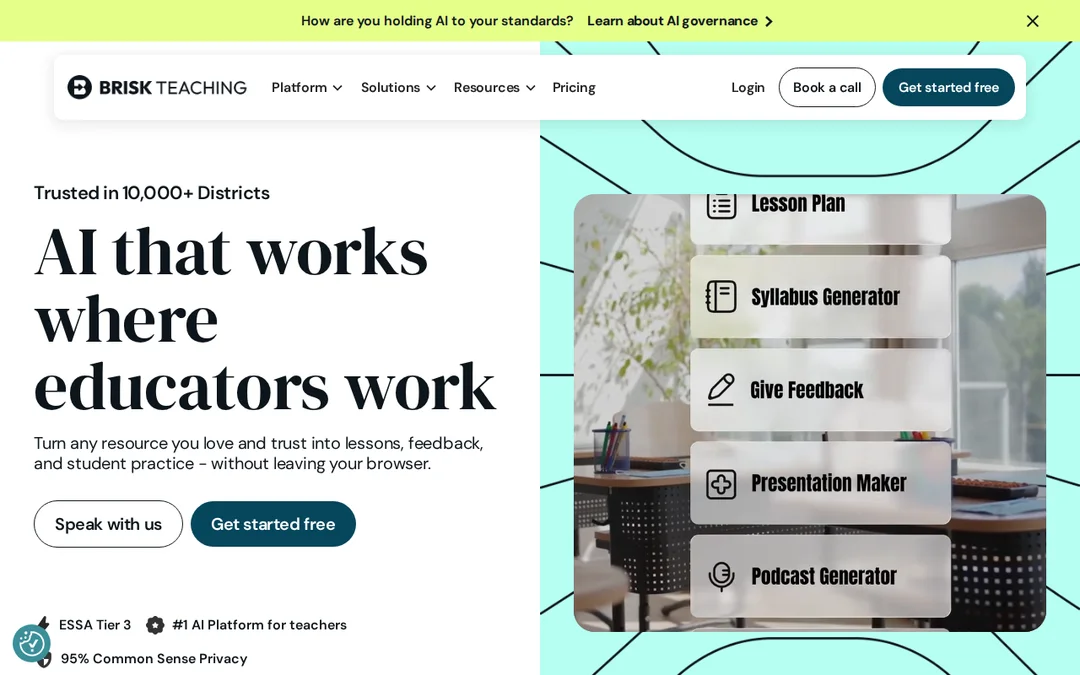
A browser extension that puts AI tools inside Google Docs, Slides, YouTube, PDFs and Microsoft tools.
What went well
- Free for individual teachers
- Works inside the documents you already use
- Batch feedback on pupils’ writing
- SOC 2 Type II, 1EdTech seal and a published DPA
Even better if
- Names no curriculum or standards framework
- Batch feedback has an upload limit on free
- Paid plans are for schools only, on quote
Screenshots
Report card
Brisk Teaching
| Line | What we found |
|---|---|
| Curriculum | Names no curriculum or standards framework. |
| What it makes | Lesson plans, quizzes, Google Slides presentations, rubrics, writing feedback in batches, reading-level changes and translations, inside the page you are on. |
| Time to first draft | Its claim: lesson plans and assessments "in seconds". Its words, not our timing. |
| Free plan | 20+ tools and batch feedback with an upload limit. Free for teachers. |
| Price per year | No individual paid plan. The teacher plan is free. |
| Data and privacy | Says FERPA, COPPA and GDPR compliant, SOC 2 Type II, 1EdTech TrustEd Apps Seal. Says inputs are never used to train AI. Publishes a data processing addendum. |
| UK or US fit | US first: dollars and US school tools. A European and UK privacy notice is linked. |
The full report
Brisk earns its place by not asking you to go anywhere. It runs as a browser extension, so the AI tools appear inside the Google Doc, Slides deck, YouTube video or PDF already open. Feedback on a set of pupils’ writing in batches, and a text at a lower reading level in two clicks, are its two most useful tricks. The data paperwork is strong: SOC 2 Type II, a 1EdTech seal and a published data processing addendum.
Where it falls short
It names no curriculum. The free tier caps how much writing you can send for batch feedback, and the paid plans are only sold to schools and districts.
Who should try it first
Google-school teachers who want help where they already work. For whole lessons from scratch, a planner such as Chalkie does more. For reading levels alone, compare Brisk vs Diffit.
Frequently asked questions
Is Brisk free?
Yes, for individual teachers. Premium and Intelligence are school and district plans with custom pricing.
Does Brisk train AI on pupils’ work?
Its Privacy Center says student and teacher inputs are never used to train AI models.